
Network management
Every gateway monitored, and changed without the risk
Onboard gateways in minutes, change them from guided screens with a plain-language preview and automatic rollback, keep sites online with multi-WAN and high availability, and reach every site through WiseLink, even behind NAT.
Device management
Every gateway, in one place
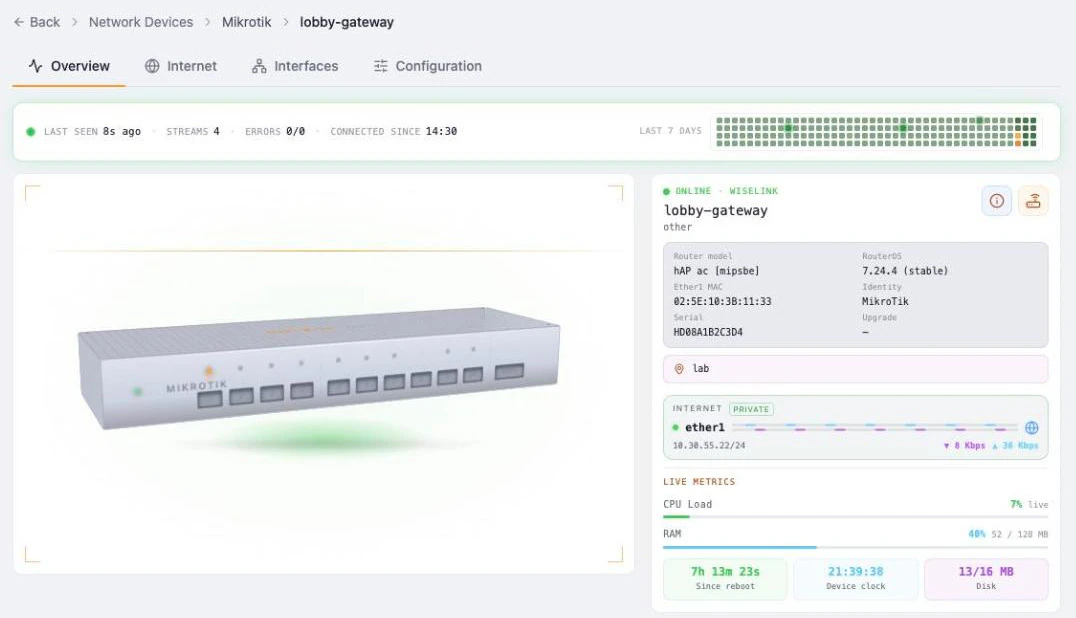
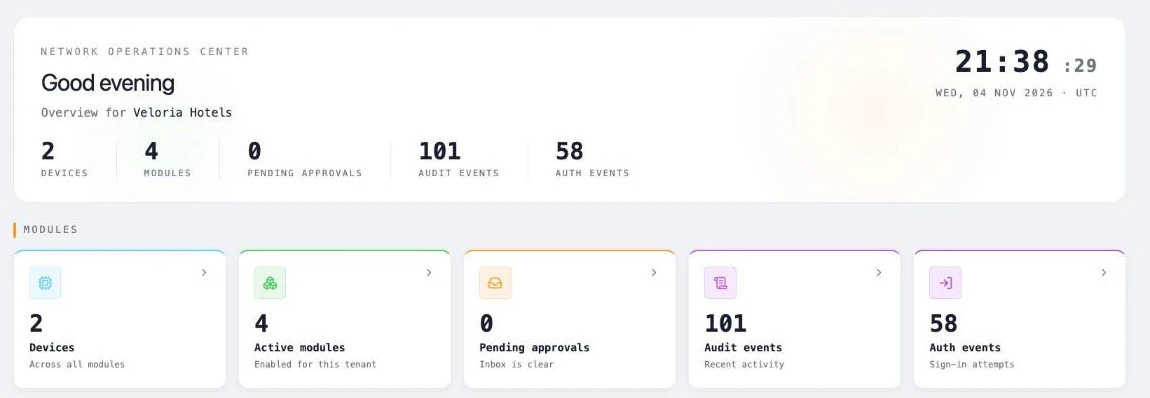
Onboard one gateway or hundreds, see each one live, and know exactly how it is doing, from a single console.
Onboarding wizard
Add a device directly, or through WiseLink when it sits behind NAT: paste one line on the device and it calls home.
Bulk onboarding
Import a CSV of devices, or create one link that any number of devices use to register themselves.
Guided onboarding script
A generated script sets up the connection, creates a restricted management account and reports every step live. Running it twice is safe.
Review before you trust
Self-registered devices wait in a review pool. Claim them onto a site, or reject them and WiseOne removes its setup.
Inventory and sites
Tile or list views with search and live health, organised in a site hierarchy you design.
Device settings
Rename, assign a site, sync the clock, see installed packages and check for firmware updates.
Configuration
Change the network without the risk
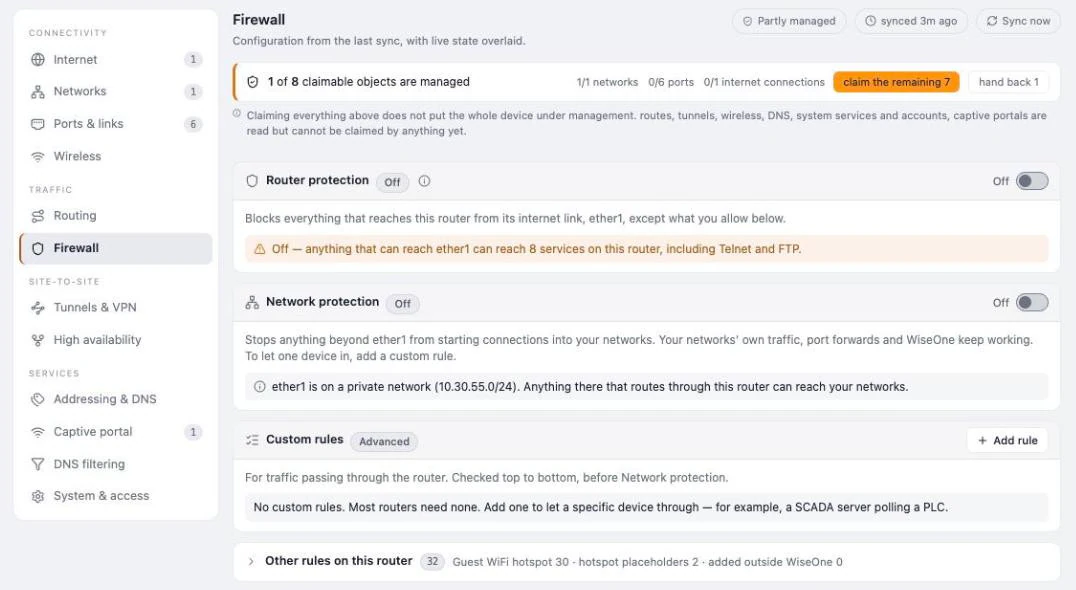
WiseOne reads each gateway’s configuration and lets you change the parts that matter from clear, guided screens. Every change is previewed in plain sentences, checked on the device afterwards, and rolled back automatically if it would cut you off.
Twelve areas, one view
Internet, networks, ports, wireless, routing, firewall, VPN, high availability, addressing, captive portal, DNS filtering and system, with live state on top of the last sync.
Adopt what is already there
Bring existing settings under management one item at a time or all at once, and hand them back whenever you like.
Internet connections
Add DHCP, PPPoE or static internet links, and set failover priority and gateway checks.
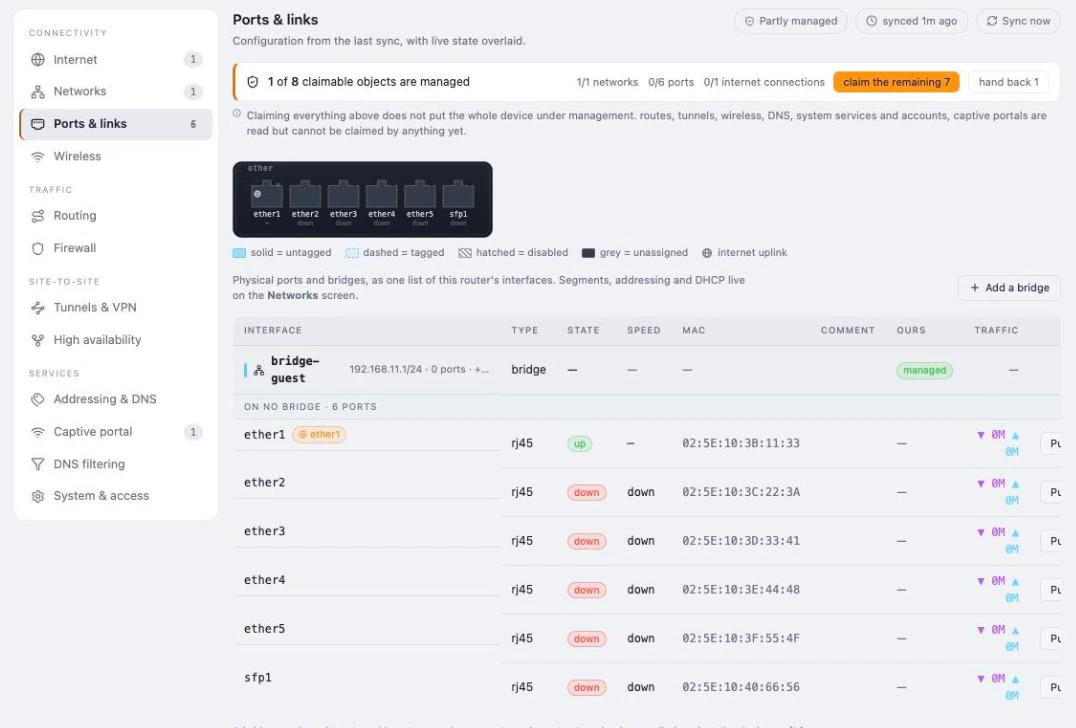
Ports and bridges
Create bridges with addresses and move ports onto them.
Managed firewall
Protect the gateway with one switch, choose which management services stay reachable, and add allow or block rules from presets.
Preview in plain language
Every change becomes a step-by-step preview. Unsafe changes are refused with a reason, and so is a plan made on outdated information.
Verified and reversible
After applying, WiseOne re-reads the device to prove the change landed. Risky changes run with an automatic rollback unless confirmed.
Full audit trail
Every plan and every change is recorded with who made it, and applying changes is admin-only.
High availability and multi-WAN
Stay online when a link or a router fails
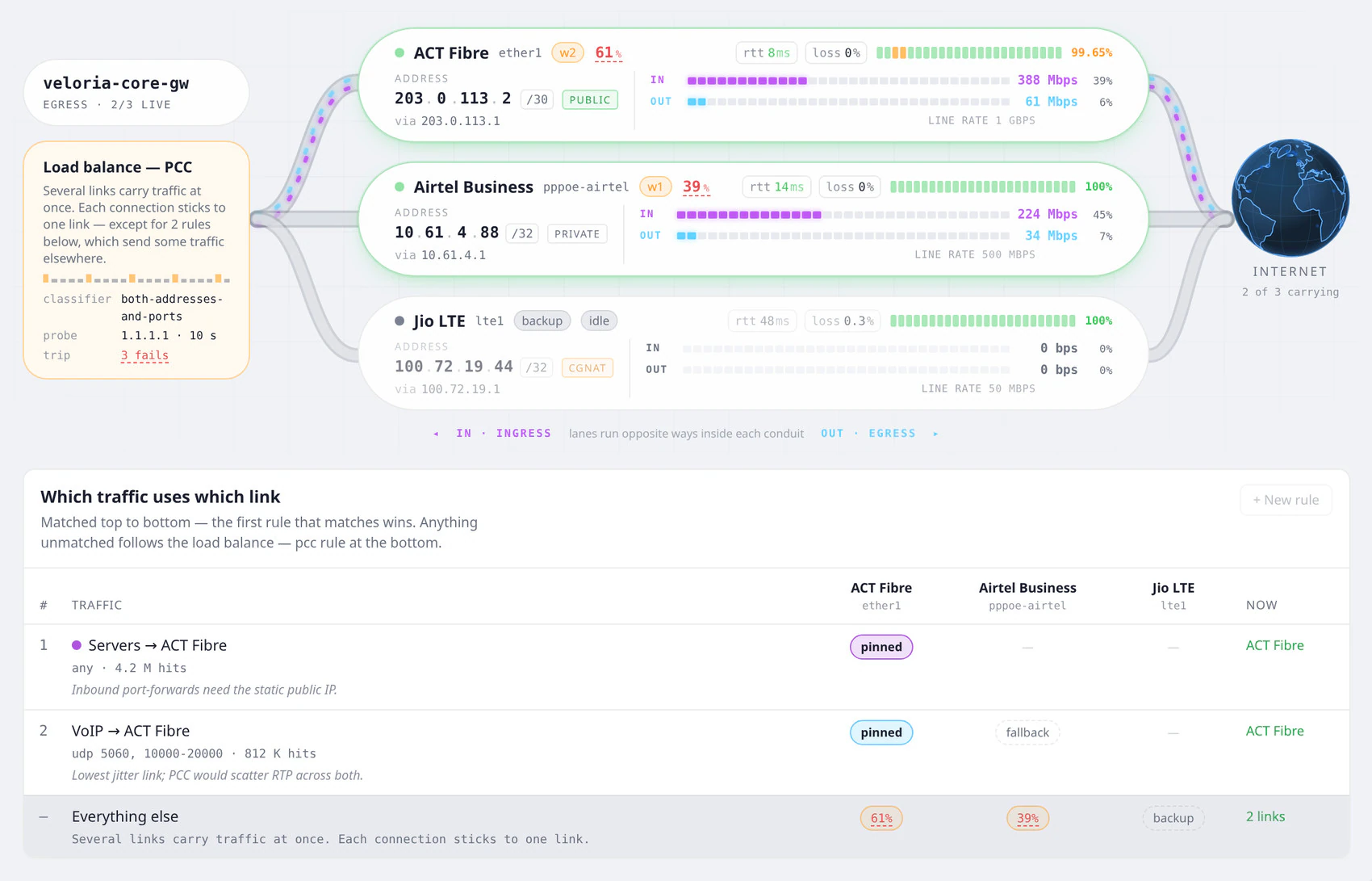
Run two or more internet links and two gateways as a pair. WiseOne balances traffic across the links, moves it the moment one fails, and keeps a backup gateway ready to take over, so guests and staff stay online.
Load balancing across links
Spread traffic over two or more internet links by weight. Each connection stays on one link, so sessions and sign-ins never break.
Automatic failover
Every link is checked every few seconds. When one fails, its traffic moves to the others within seconds, and returns when it recovers.
Backup links that wait
Keep an LTE or 5G link idle until it is needed, so it costs almost nothing day to day.
Pin traffic to a link
Send servers, VoIP or guest Wi-Fi over the link that suits them, with a fallback if that link goes down.
Two gateways, one address
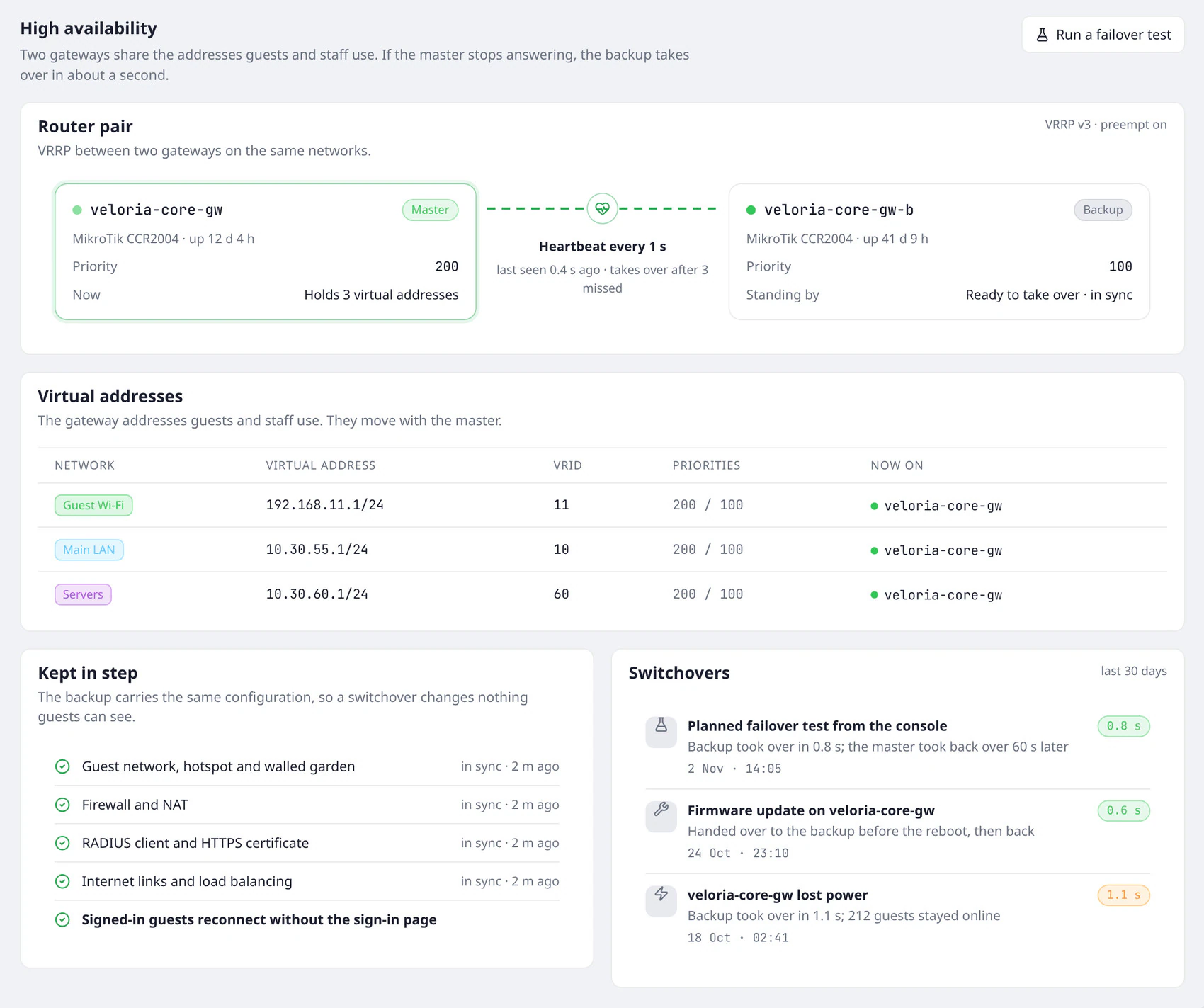
A VRRP pair shares the gateway address of every network. If the master stops answering, the backup takes over in about a second.
Kept in step
The backup carries the same guest network, hotspot, firewall and internet links as the master.
Guests stay connected
After a switchover, signed-in guests reconnect without seeing the sign-in page again.
Tested, not hoped for
Run a planned failover from the console, and see every switchover with how long it took.
Monitoring
See what is happening, and what changed
Live telemetry, availability history and configuration-change detection give you the full picture of every device without logging in to it.
Live telemetry, every second
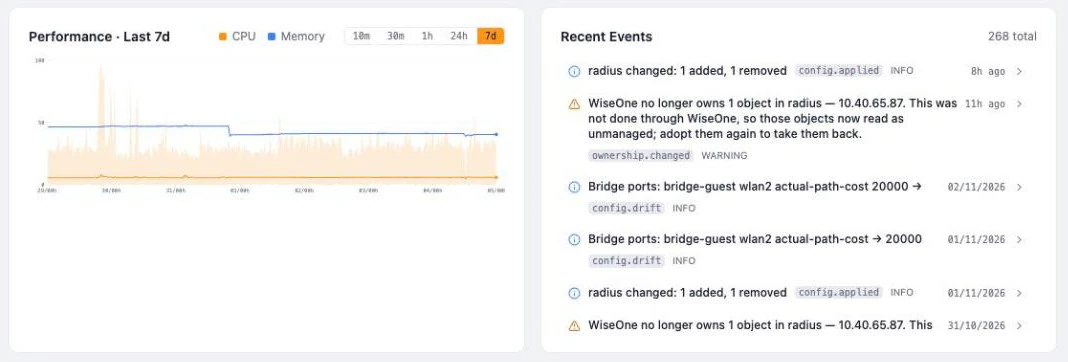
CPU, memory and per-port traffic update about once a second while you are watching, and cost nothing when you are not.
Performance history
CPU and memory from the last 10 minutes to the last 7 days, with peaks and percentiles.
Availability and SLA
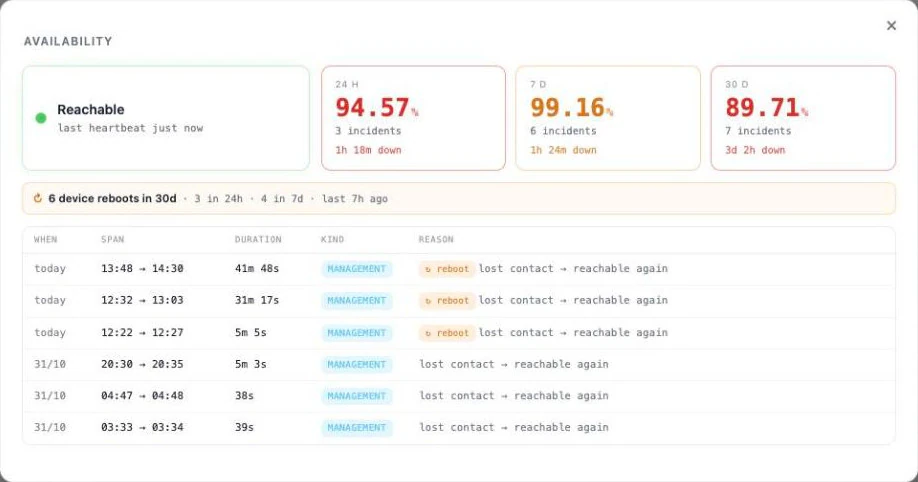
A 7-day heatmap and SLA for 24 hours, 7 days and 30 days, with incidents and reboots. Unwatched hours are shown honestly, never counted as uptime.
Change detection
Up to 56 areas of each device’s configuration are read on a schedule, and every change made outside the platform is flagged.
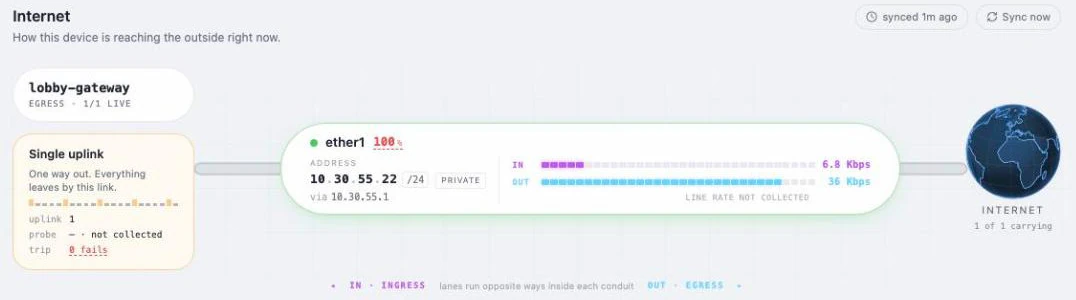
Internet view
Each internet link, its live traffic and the failover arrangement between links.
Interface map
Ports, bonds, bridges, VLANs, addresses and tunnels drawn as one map.
One events timeline
SNMP alerts, outside changes and WiseOne’s own changes in a single feed.

WiseLink
Reach every site, with no port forwarding
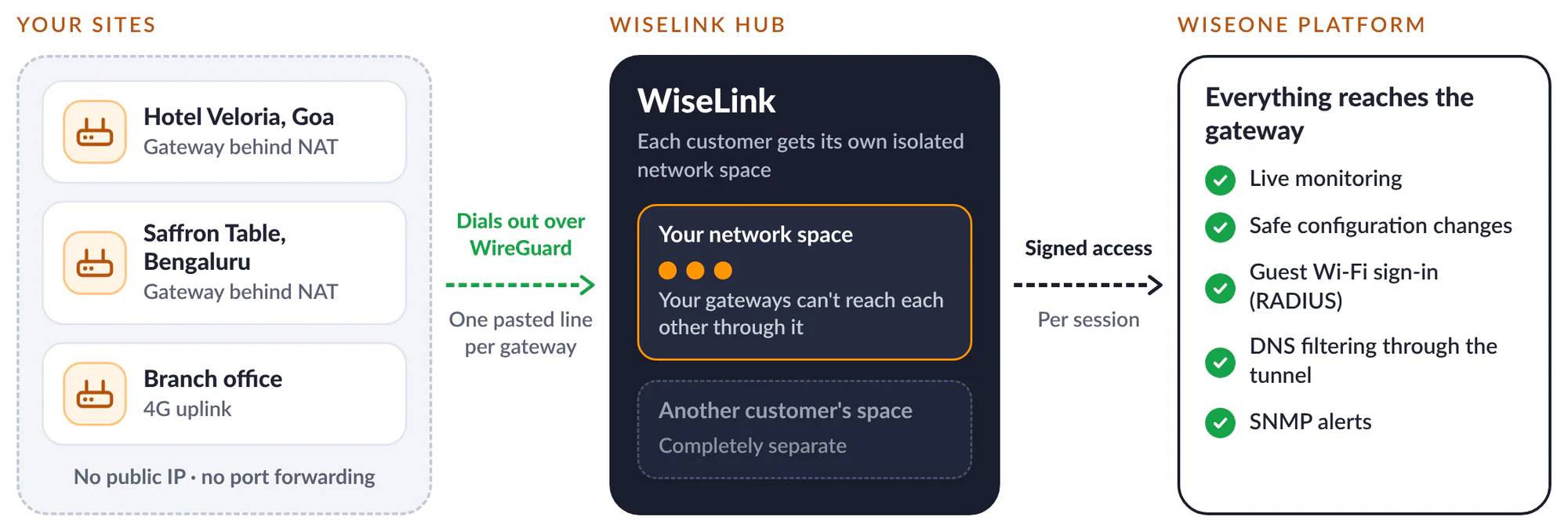
Gateways behind NAT, on mobile links or without a public IP dial out to WiseLink over WireGuard. WiseOne then manages them as if they were next door, and every customer stays in a network space of its own.
Zero-touch tunnels
One line pasted on the gateway creates an encrypted WireGuard tunnel to WiseLink.
Isolated per customer
Each customer gets its own network space, and sites cannot reach each other through the hub.
Management through the tunnel
Management, SNMP and RADIUS travel through the tunnel, with signed access for every connection.
Address management
WiseLink hands out and tracks the tunnel addresses for each customer.
Peer lifecycle
Register a site, download its configuration, rotate keys, revoke it, or onboard many sites from one link.
DNS through the tunnel
Sites that reach WiseOne only through WiseLink still get DNS filtering.
DNS filtering
Safer browsing for every network
Send a site’s DNS through WiseOne with one switch. Block whole categories, keep your own lists, and see which services your networks reach, without recording who looked them up.
One switch, with a failsafe
Turn DNS filtering on per gateway, and off again to restore its previous DNS. If WiseOne DNS stops answering, the gateway switches to Cloudflare within about 90 seconds.
Category blocking
Block adult content, gambling, malware and other categories across a site.
Your own lists and safe search
Keep your own allow and block lists, and enforce safe search.
Insights without surveillance
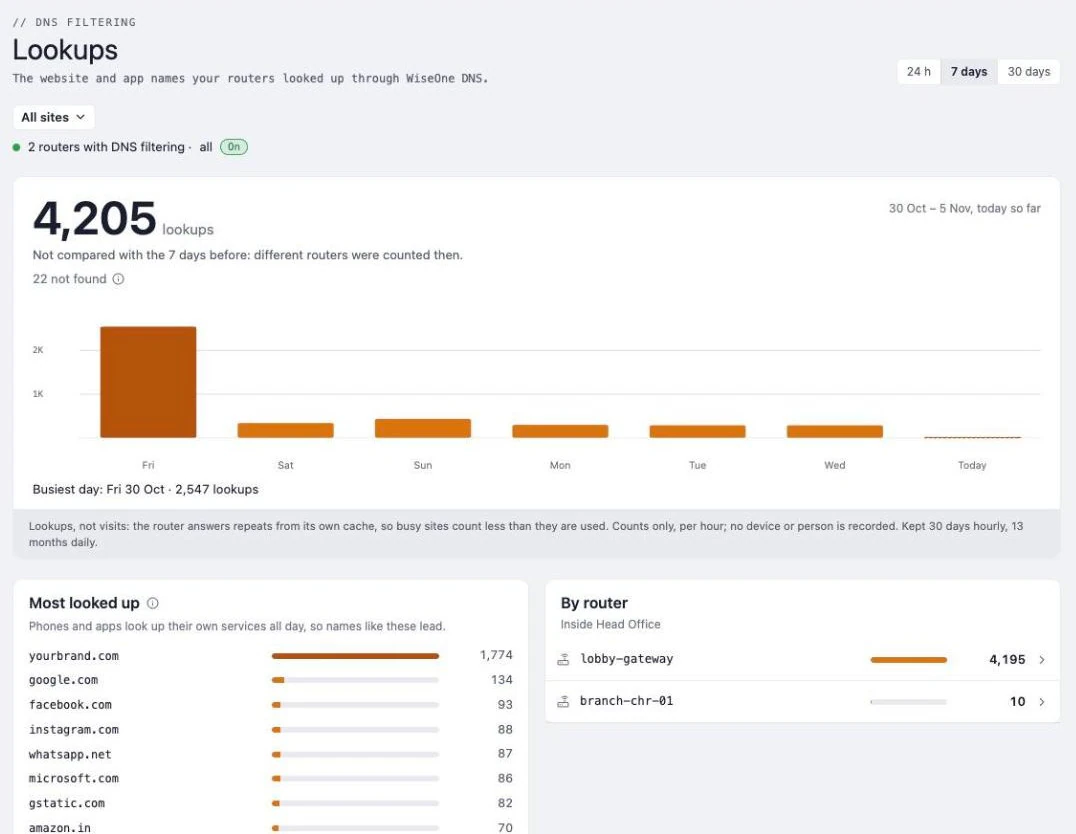
Lookups per site and per gateway, the top 100 names and trends up to 12 months. Only counts are kept, never queries, devices or people.
Get started
Let’s put WiseOne on your network.
We’ll build a pilot portal for one of your venues in your brand, connect it to the Wi-Fi you already have, and walk your team through the console.